কাউখালী প্রতিনিধি।
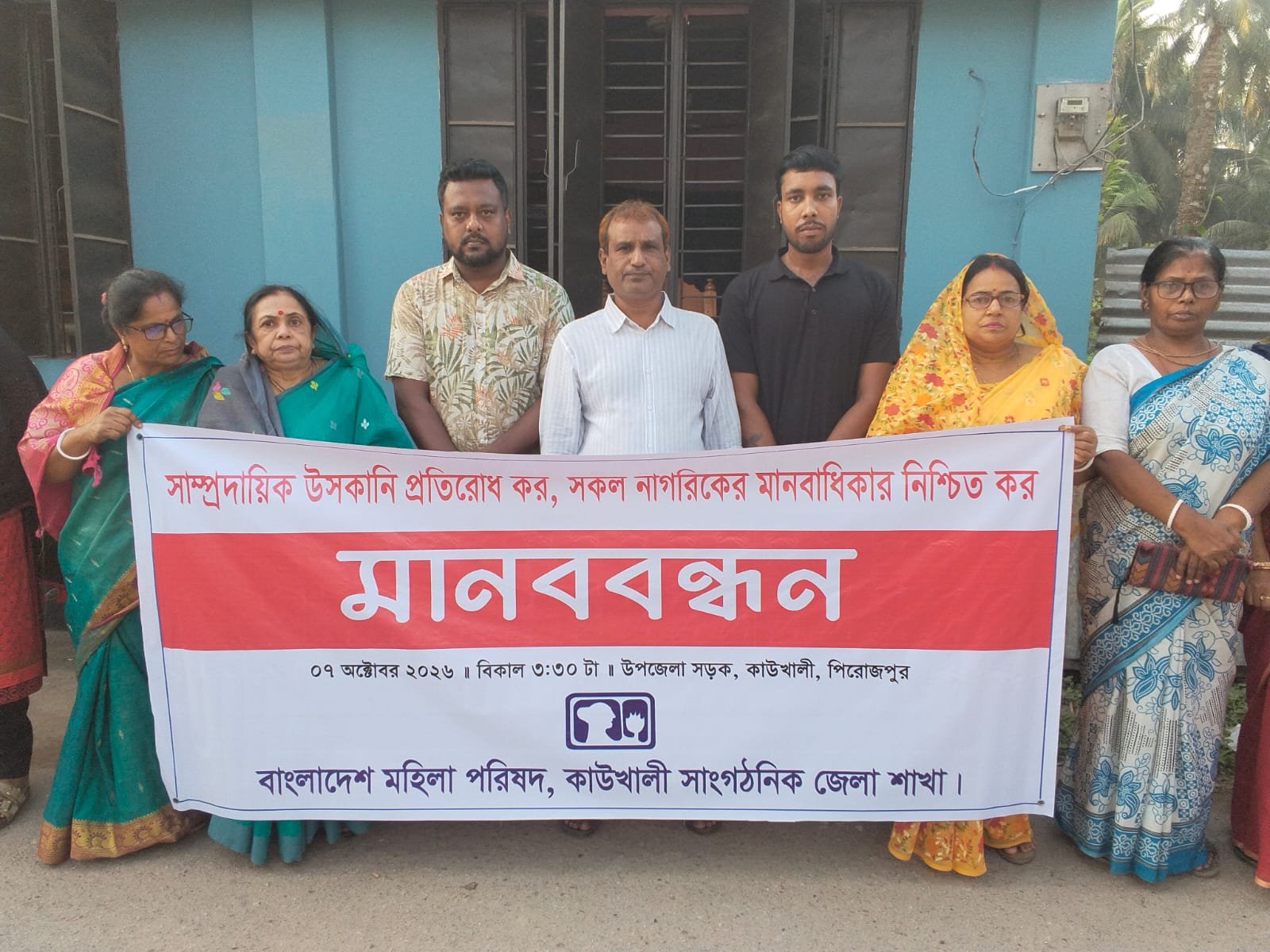
সাম্প্রদায়িক উস্কানি প্রতিরোধ ও দেশের সকল নাগরিকের মানবাধিকার নিশ্চিত করার দাবিতে পিরোজপুরের কাউখালীতে এক মানববন্ধন কর্মসূচি অনুষ্ঠিত হয়েছে।
বুধবার (৭ অক্টোবর) বিকেলে বাংলাদেশ মহিলা পরিষদ কাউখালী সাংগঠনিক জেলা শাখার উদ্যোগে মহিলা পরিষদের নিজস্ব কার্যালয়ের সামনে এ মানববন্ধন কর্মসূচি পালিত হয়। “সাম্প্রদায়িক উস্কানি প্রতিরোধ করি, সকল নাগরিকদের মানবাধিকার নিশ্চিত করি , এই প্রতিপাদ্যকে সামনে রেখে আয়োজিত এই কর্মসূচিতে এলাকার বিভিন্ন শ্রেণী-পেশার মানুষ অংশগ্রহণ করেন।
সংগঠনের সভাপতি সুনন্দা সমদ্দারের সভাপতিত্বে অনুষ্ঠিত ঘণ্টাব্যাপী মানববন্ধনে বক্তব্য রাখেন, সংগঠনের সহসাধারণ সম্পাদক ও কাউখালী মহিলা কলেজের জ্যেষ্ঠ প্রভাষক কুমকুম ভট্টাচার্য, উপজেলা স্বেচ্ছাসেবক দলের সদস্য সচিব রাকিব তালুকদার, কাউখালী সরকারি কলেজ ছাত্রদলের সভাপতি সবুজ কুমার রবি, সিনিয়র সাংবাদিক নুরুল হুদা বাবু, নারী নেত্রী প্রভাতী মৃধা, মৌমিতা সাহা, ছায়া সমদ্দার প্রমুখ।
বক্তারা সমাজে শান্তি, সম্প্রীতি বজায় রাখা এবং মানবাধিকার রক্ষায় সকলকে ঐক্যবদ্ধ হয়ে কাজ করার আহ্বান জানান।
সংগঠনের সভাপতি সুনন্দা সমাদ্দার বলেন, আমাদের দেশের মূল শক্তি হলো অসাম্প্রদায়িক চেতনা ও সর্বজনীন মানবাধিকার। কিন্তু ইদানীং কিছু স্বার্থান্বেষী মহল সামাজিক যোগাযোগ মাধ্যমসহ বিভিন্ন উপায়ে সম্প্রীতি বিনষ্টের অপচেষ্টা চালাচ্ছে। আমাদের আজকের মানববন্ধনের মূল বার্তা একটাই যেকোনো মূল্যে সাম্প্রদায়িক উস্কানি প্রতিরোধ করতে হবে এবং দল-মত-ধর্ম নির্বিশেষে রাষ্ট্রের প্রতিটি নাগরিকের মানবাধিকার ও নিরাপত্তা সুনিশ্চিত করতে হবে।